Money Out Merchant Setup
This guide explains how to configure the Money Out module in the Exigo platform. Money Out handles all outbound commission and payment disbursements to distributors and customers — including prepaid debit cards, digital wallets, ACH transfers, and third-party payout platforms. Configuration spans two areas: the SDK Money Out app (under the Sdk menu) and the Payment Card Account (Pmt Card) settings within Accounting Settings.
Table of Contents
- Overview
- Accessing the Money Out SDK
- Initial State
- Adding a Money Out App
- Money Out SDK Portal
- Configuring Payment Card Accounts (Pmt Card)
- Accessing the Pmt Card Tab
- Payment Card Account List
- Adding a New Payment Card Account
- Editing an Existing Payment Card Account
- Payment Card Account Field Reference
- Supported Provider Types
Overview
The Money Out system in Exigo manages outbound payments — primarily commission disbursements to distributors. It integrates with third-party payout providers (e.g., HyperWallet, PayQuicker, Payoneer) to support a variety of payment delivery methods.
The two configuration areas are:
| Area | Purpose |
|---|---|
| Sdk > Money Out | Register and deploy the custom Money Out SDK application that handles disbursement logic |
| Accounting Settings > Pmt Card | Configure the specific payment provider credentials used to process disbursements |
Accessing the Money Out SDK
The Money Out SDK is located under the Sdk section of the left navigation panel.
Navigation path: Sdk > Money Out
Initial State
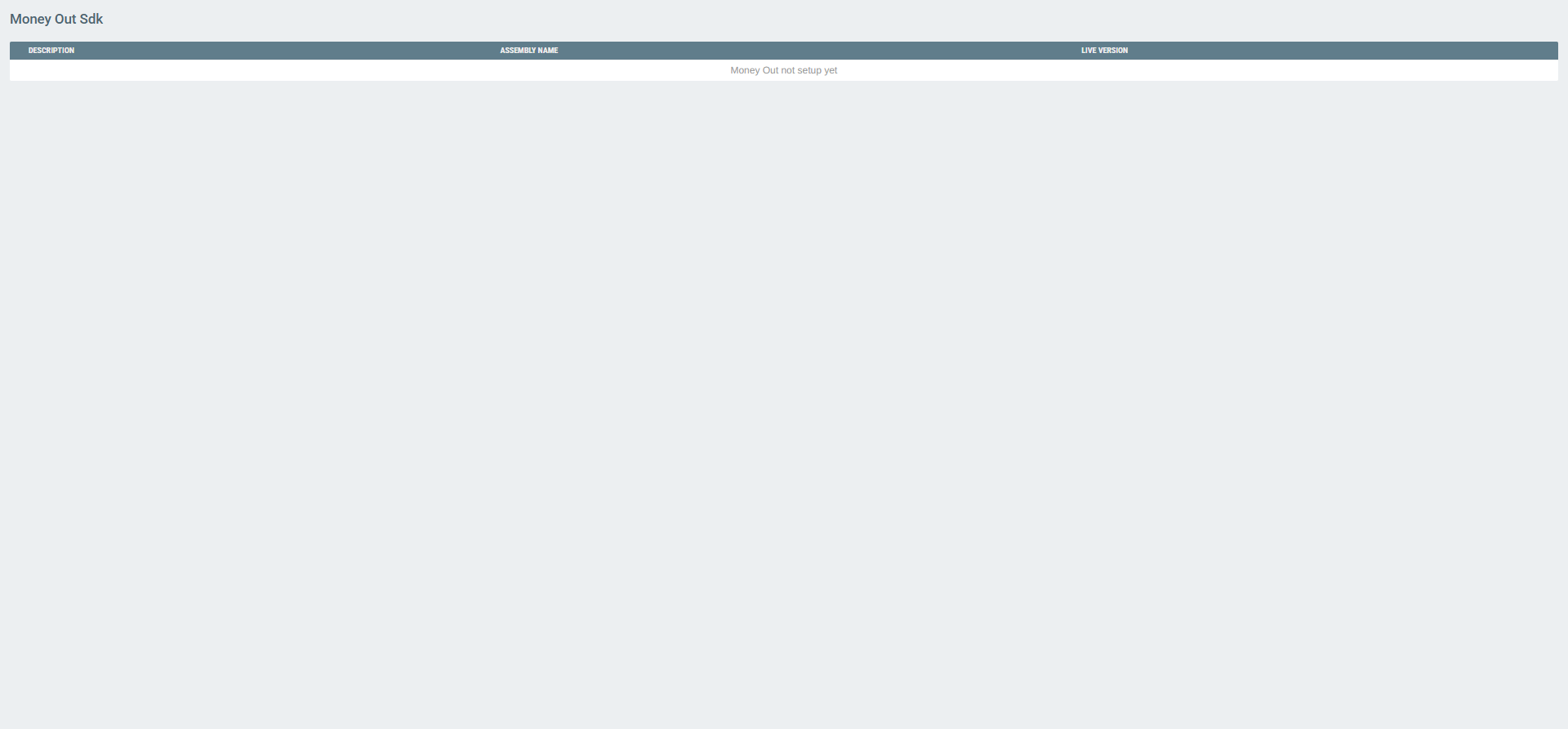
If no Money Out SDK app has been registered, the Money Out list will display an empty state message indicating that no app has been set up.
Adding a Money Out App
To register a new Money Out SDK application, navigate to the Money Out list and look for the ADD MONEY OUT APP option, or go directly to the add form.
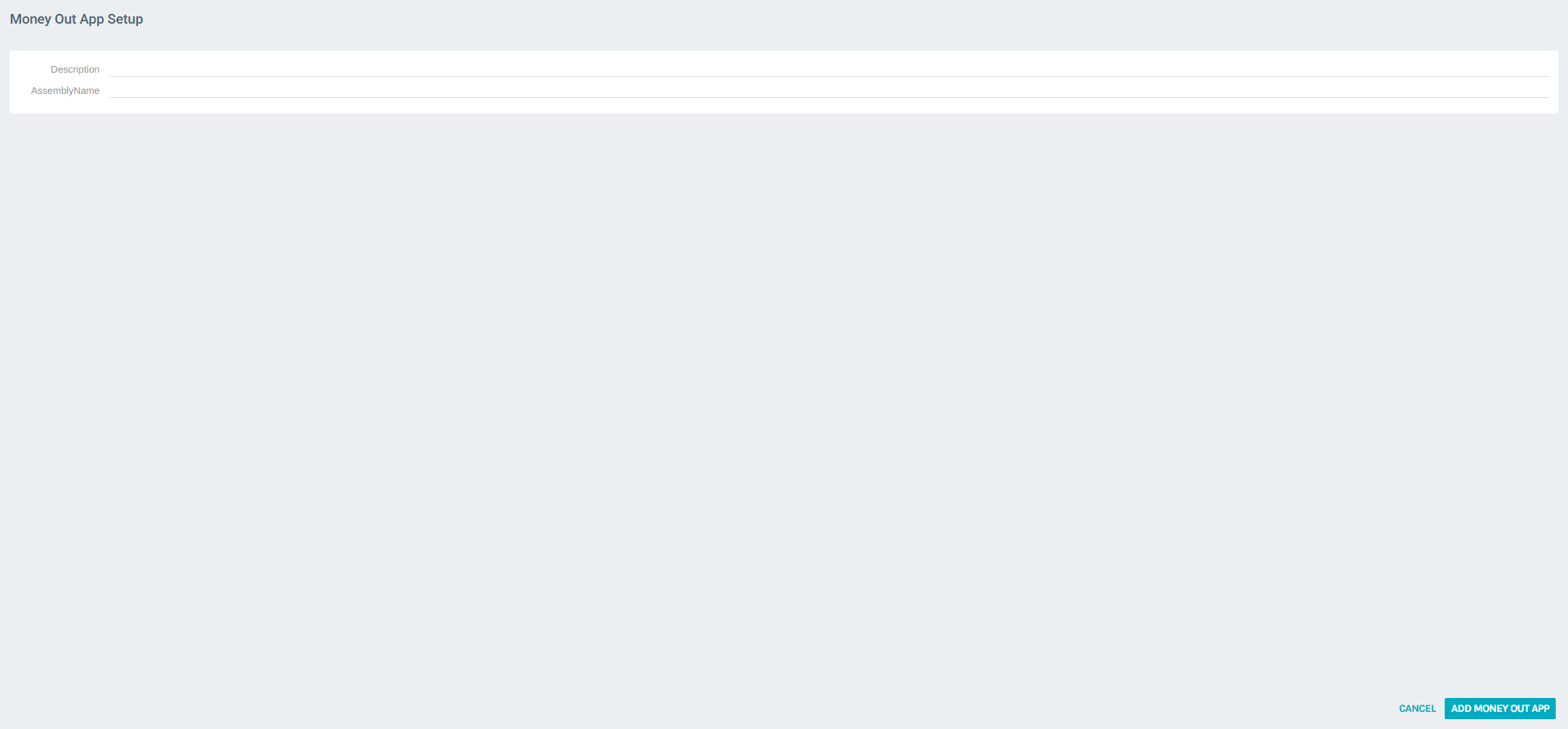
Fill in the following fields:
| Field | Required | Description |
|---|---|---|
| Description | Yes | A human-readable name for this Money Out app (e.g., MoneyOut) |
| AssemblyName | Yes | The fully qualified .NET assembly name used to load this SDK module |
Click ADD MONEY OUT APP to register the application.
Money Out SDK Portal
Once a Money Out app is registered, clicking VIEW on it opens its SDK portal, similar in structure to the Money In portal. From there you can:
- Queue Build — trigger a new build from the latest source code
- Deploy — promote a specific build to the live environment
- Search Log — review all outbound disbursement transaction logs
- Git Repository / Git Credentials — manage the source code and access credentials
Configuring Payment Card Accounts (Pmt Card)
Payment Card Accounts are the credential configurations that link Exigo to third-party disbursement providers. These are configured in Accounting Settings, under the Pmt Card tab.
Accessing the Pmt Card Tab
Navigation path: Administration > Settings > Accounting Settings > (Pmt Card tab)
Payment Card Account List
The Pmt Card tab lists all payment disbursement providers currently configured for the company.
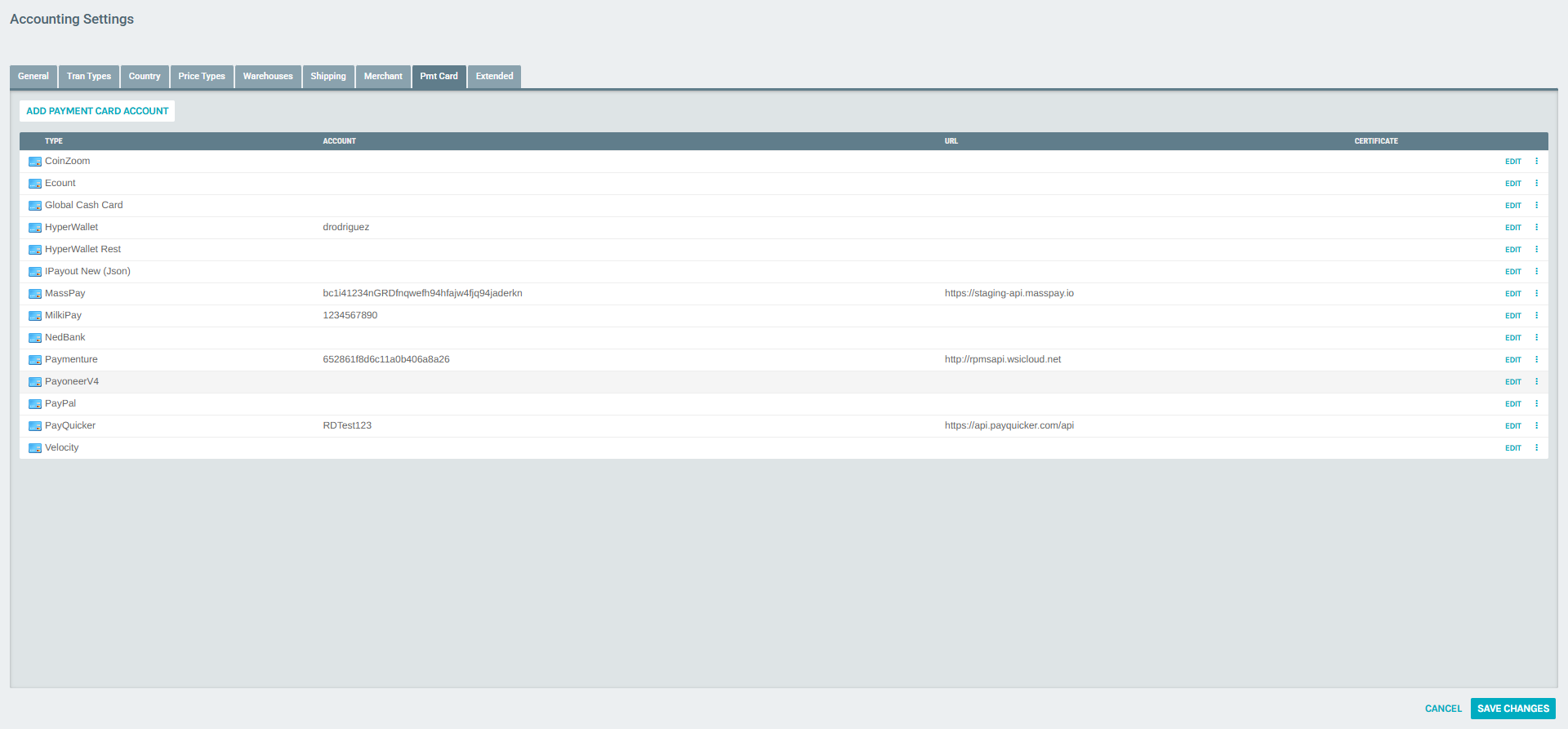
Each row in the list corresponds to one payout provider integration. The columns are:
| Column | Description |
|---|---|
| Type | The name of the payout provider (e.g., HyperWallet, PayQuicker, MassPay) |
| Account | The account identifier or token used to authenticate with the provider |
| URL | The API endpoint for the provider's integration |
| Certificate | Any certificate or cryptographic key associated with the account |
Use the context menu (⋮) on any row to access the Delete option.
Adding a New Payment Card Account
Click ADD PAYMENT CARD ACCOUNT at the top of the Pmt Card tab to open the configuration form.
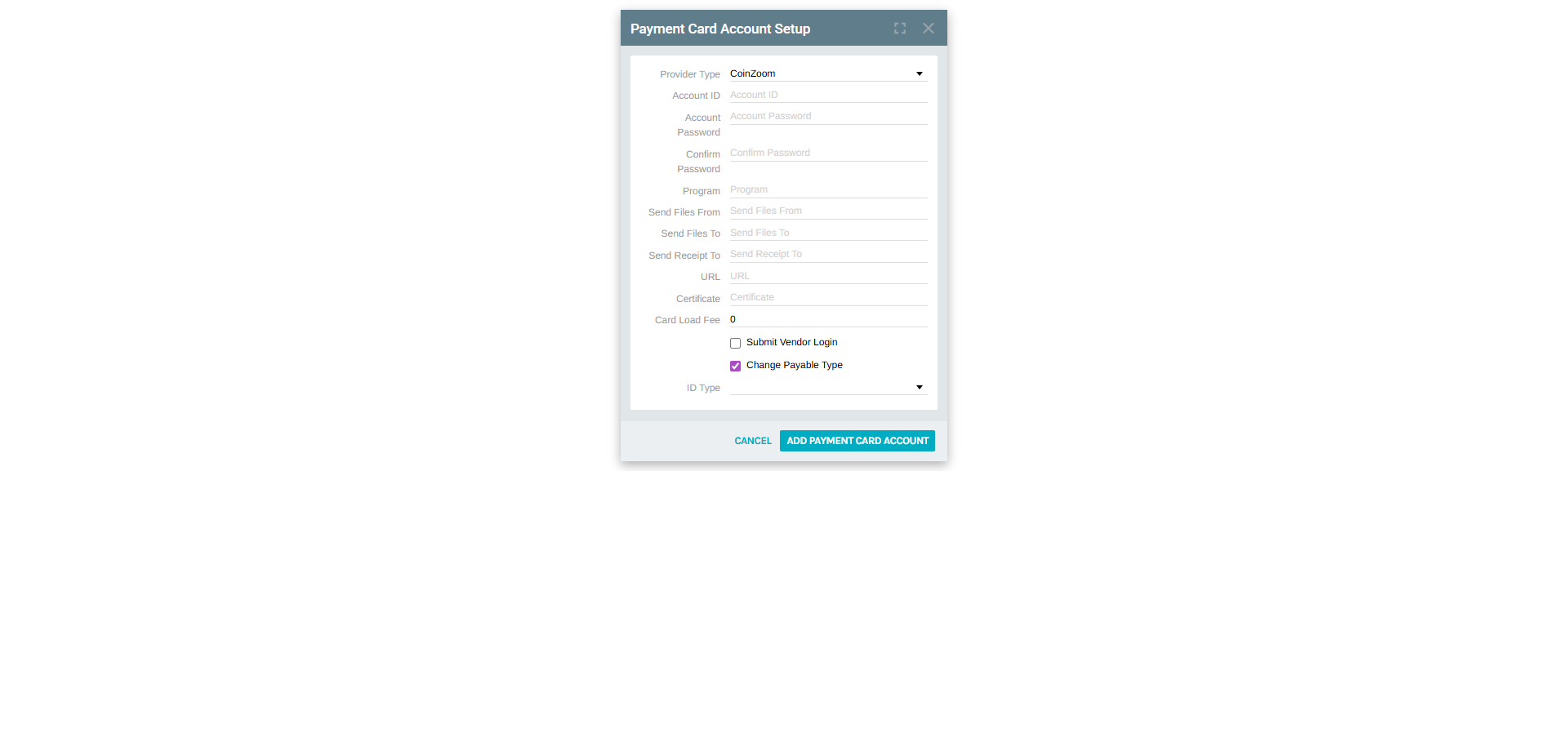
Fill in all required fields and click ADD PAYMENT CARD ACCOUNT to save.
Editing an Existing Payment Card Account
Click EDIT next to any listed provider to open its configuration form with the current values pre-filled.
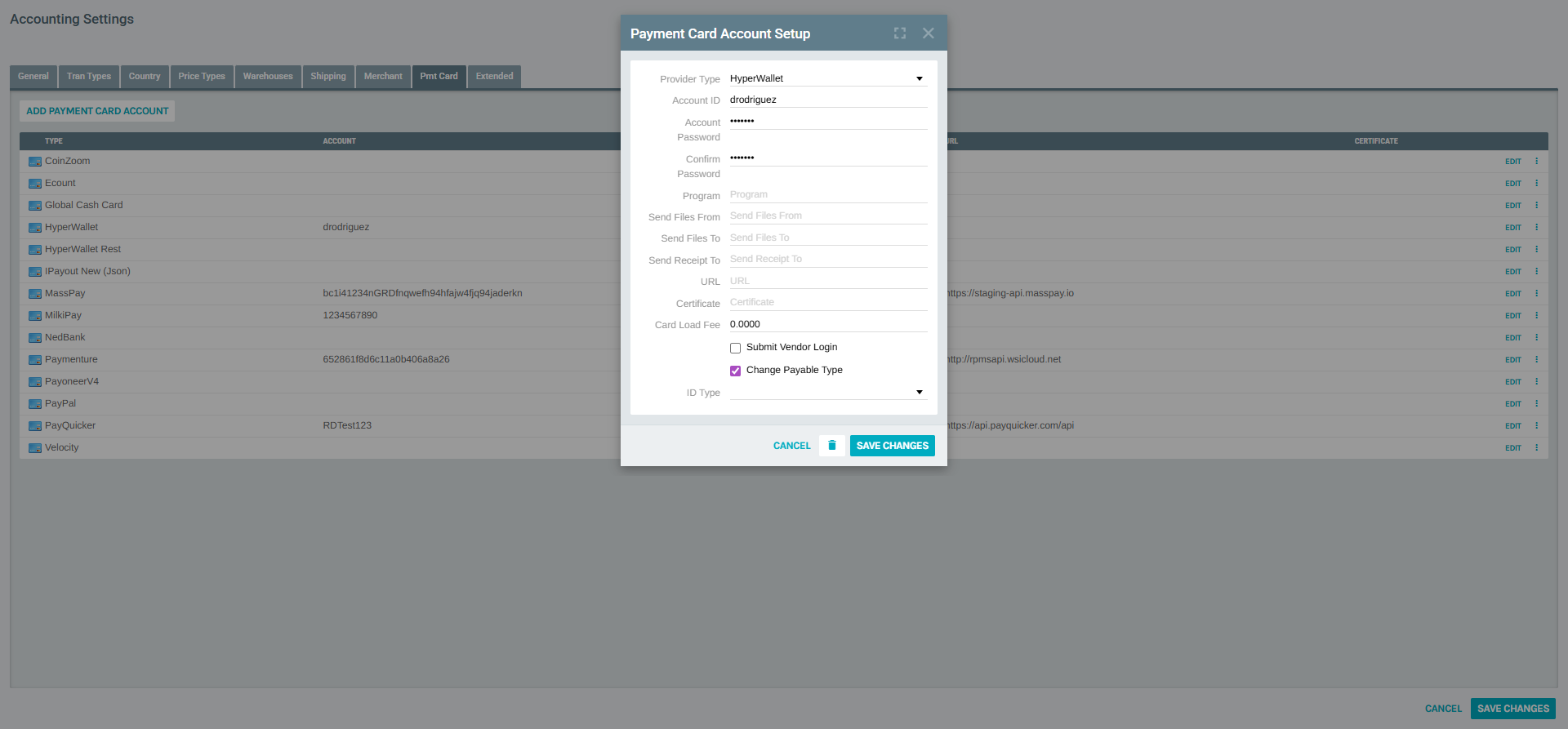
Modify the needed fields and click SAVE CHANGES to apply updates.
Payment Card Account Field Reference
Both the Add and Edit forms contain the following fields:
| Field | Required | Description |
|---|---|---|
| Provider Type | Yes | The payout provider to use. See Supported Provider Types for the full list. |
| Account ID | Yes | The account identifier provided by the payout platform. |
| Account Password | No | The authentication password or secret key. |
| Confirm Password | No | Confirmation of the account password. |
| Program | Yes | The program or business unit identifier within the provider's platform. |
| Send Files From | Yes | The email address or identity used as the sender when files are submitted to the provider. |
| Send Files To | Yes | The email address or endpoint that receives file notifications from the provider. |
| Send Receipt To | Yes | The address that receives transaction receipt confirmations. |
| URL | Yes | The base API URL for the provider's integration endpoint. |
| Certificate | Yes | A certificate value required by some providers for secure communication. |
| Card Load Fee | Yes | The per-transaction fee charged when loading funds to the payment card (default 0.0000). |
| Submit Vendor Login | — | When enabled, submits vendor login credentials alongside the transaction. |
| Change Payable Type | — | When enabled, automatically updates the payable type on the customer record when funds are disbursed. |
| ID Type | — | The type of identifier used for customer matching within the provider's system. |
Supported Provider Types
The Provider Type dropdown lists all available payout platform integrations:
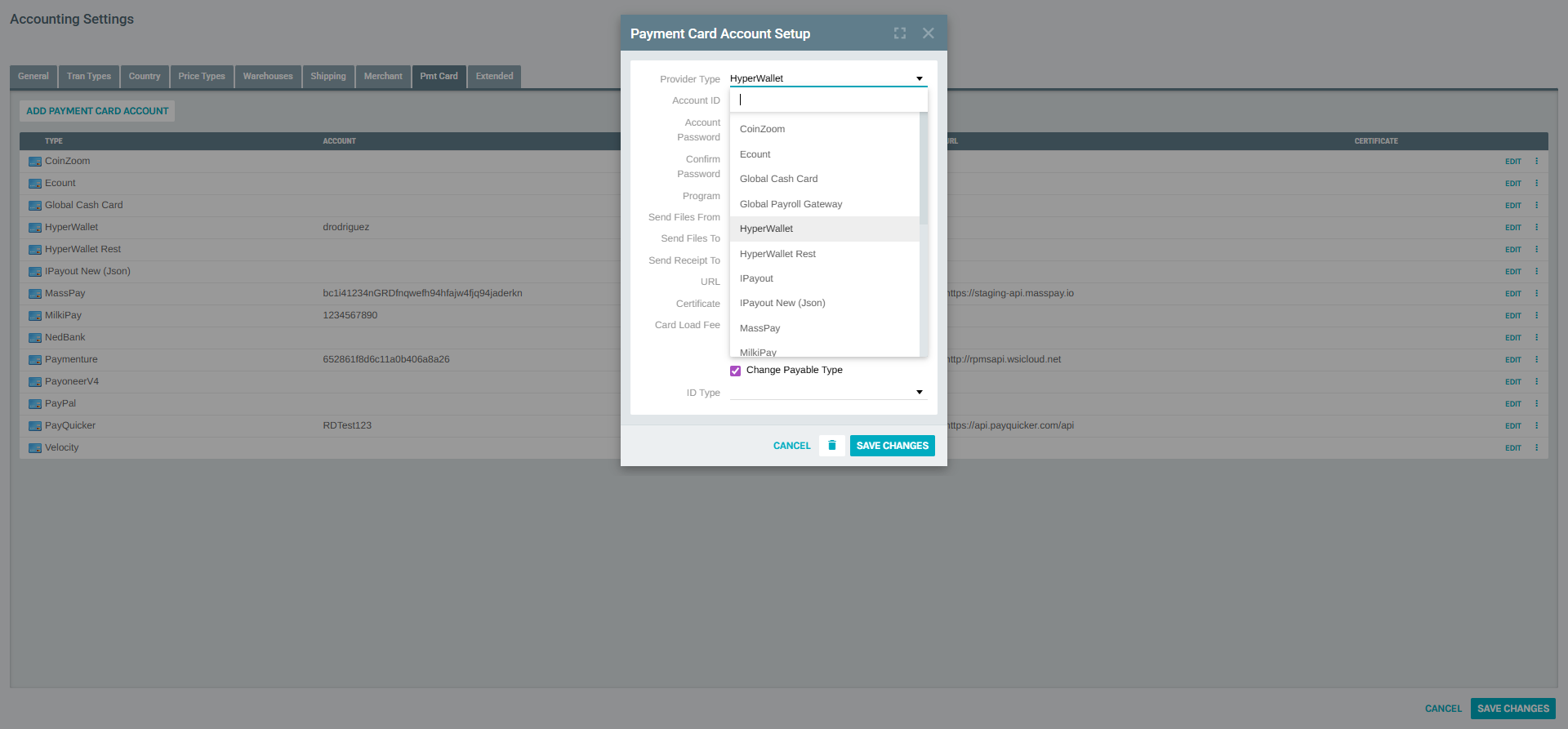
| Provider | Description |
|---|---|
| CoinZoom | CoinZoom digital asset payments |
| Ecount | Ecount prepaid card disbursements |
| Global Cash Card | Global Cash Card prepaid debit solutions |
| Global Payroll Gateway | Global Payroll Gateway disbursements |
| HyperWallet | HyperWallet standard integration |
| HyperWallet Rest | HyperWallet REST API integration |
| IPayout | iPayout digital disbursements |
| IPayout New (Json) | iPayout new JSON-based API integration |
| MassPay | MassPay mass disbursement platform |
| MilkiPay | MilkiPay payment distribution |
| MoneyNetworkCard | Money Network Card prepaid solutions |
| NedBank | NedBank payment processing (South Africa) |
| NxPay | NxPay payment disbursements |
| Paymenture | Paymenture payout platform |
| Payoneer | Payoneer global payment network |
| Payoneer International | Payoneer International integration |
| PayoneerV4 | Payoneer V4 API integration |
| PayPal | PayPal disbursements |
| PayQuicker | PayQuicker global payout platform |
| ProPay | ProPay payment solutions |
| Velocity | Velocity payment processing |
Note: The fields visible in the form may vary depending on the selected Provider Type. Some providers require additional gateway-specific fields (Certificate, Program, URL) while others only need the Account ID and password.