Local Dev
To enable developers to use their own tools as an alternative to the Web Ide, We've adapted the Web Host to run on a local machine in any operating system inside a docker container.
Prerequisites
- Install Microsoft WSL. Ensure that you are running WSL version 2
- Install docker desktop.
- Use WSL Not Hyper-V
- Ensure that docker containers are running in linux mode
- Minimum version of docker desktop should be 4.34
- Install dotnet 8
- Install Git
Local Dev Kit
Local dev kit is a sample API & Web Project made for testing and learning. You can download the local dev it from here
Running The API
- Open a terminal and navigate to the
Apidirectory in the Local Dev Kit folder. - Run
dotnet watch
Debugging The API
- Under the Api directory in your Local Dev Kit folder, open the Ecommerce.Api.csproj in your IDE
- Run the Ecommerce.Api project
Running the Web Host container
- Open a terminal
-
Login to the experience builder developer container registry with
-
Run the container with
Linux Sample
- Local Path = "/usr/Local Dev Kit/Local"
- Local Web Host = http://localhost:8080
-
Api SDK = http://localhost:5000
Windows Sample
- Local Path = "C:\Users\developer\Local Dev Kit\Local"
- Local Web Host = http://localhost:8080
-
Api SDK = http://localhost:5000
Running a Real Website
Cloning the API SDK
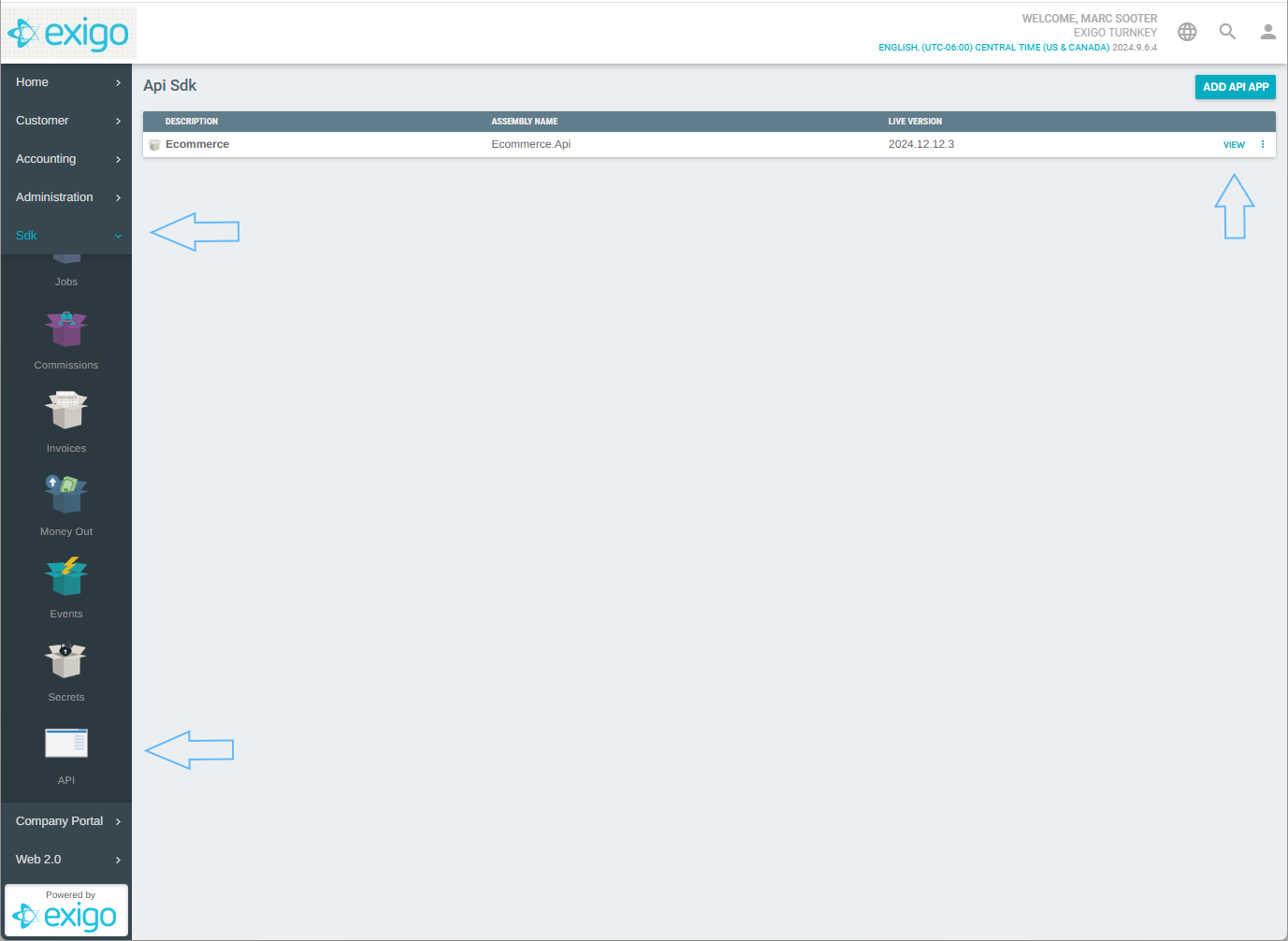
From Exigo Admin, using the left hand navigation menu, go to Sdk -> API. Then click on the view link.
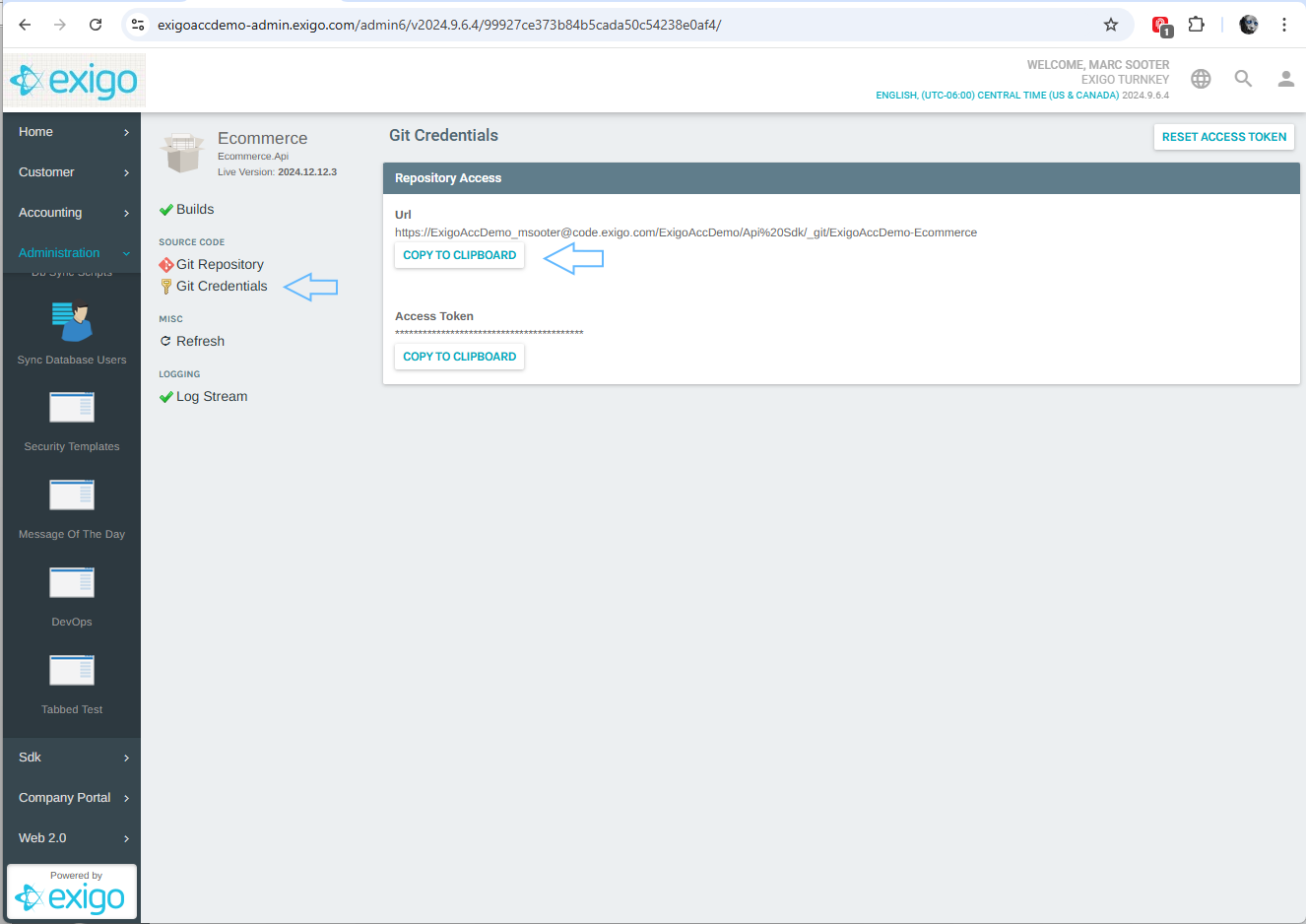
Click on the Git Credentials link in the left navigation menu of the Api SDK manager. From the credentials manager, click the "Copy to Clipboard" button under the "Url" heading.
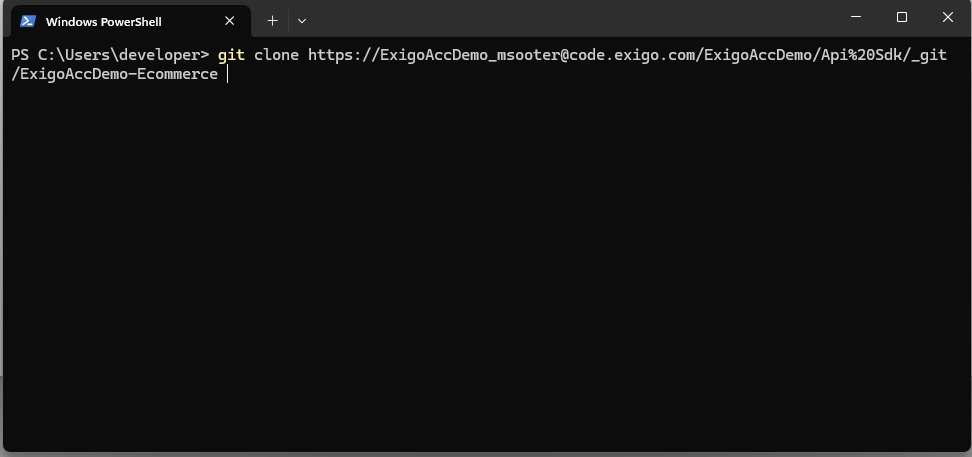
On your local machine open up a terminal and execute the following command
Cloning a Website
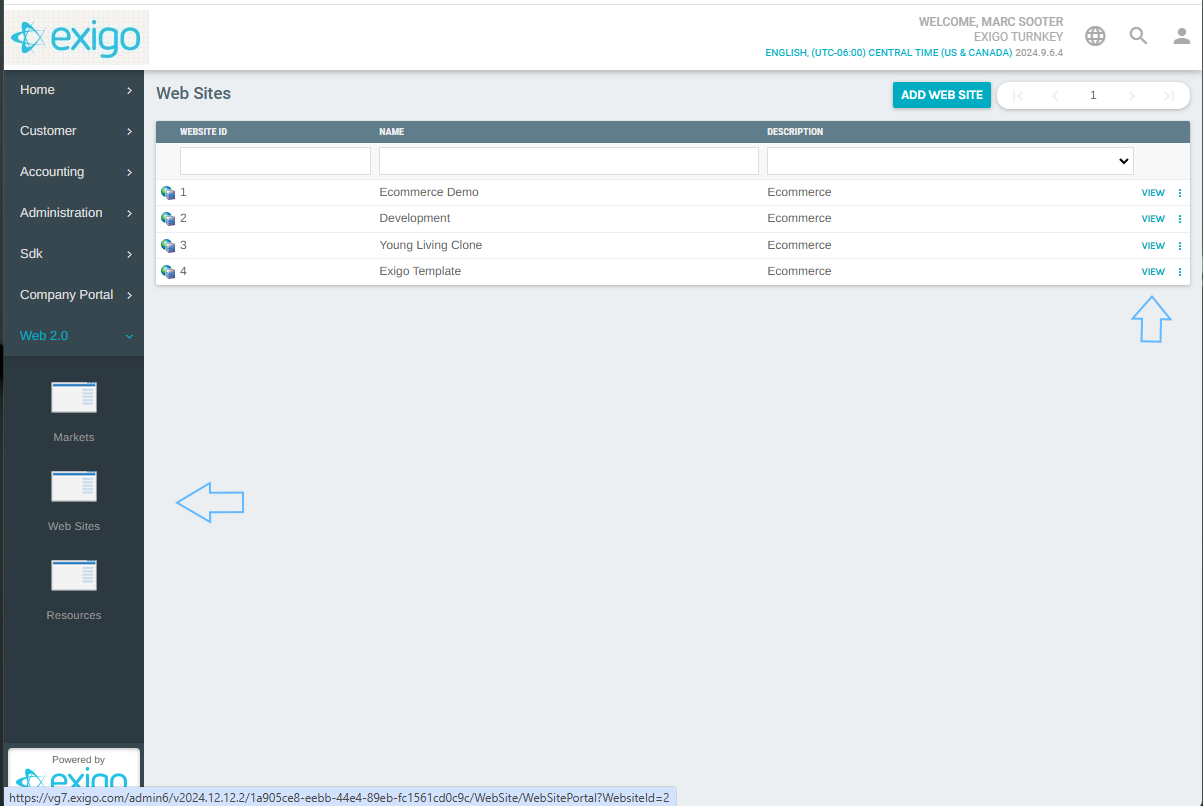
From Exigo Admin, using the left hand navigation menu, go to Web 2.0 -> Web Sites. Then click on the view link for the website you want to clone.
Click on the Git Credentials link in the left navigation menu of the Web Site manager. From the credentials manager, click the "Copy to Clipboard" button under the "Url" heading.
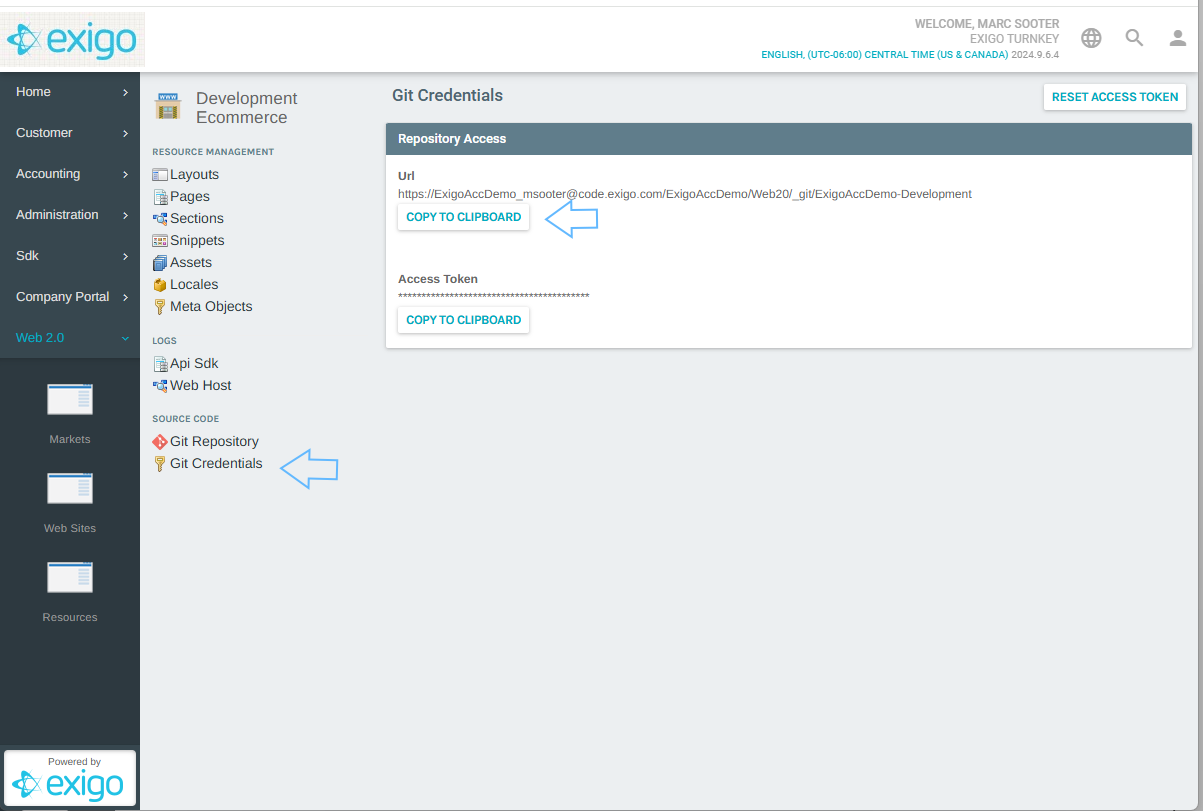
On your local machine open up a terminal and execute the following command
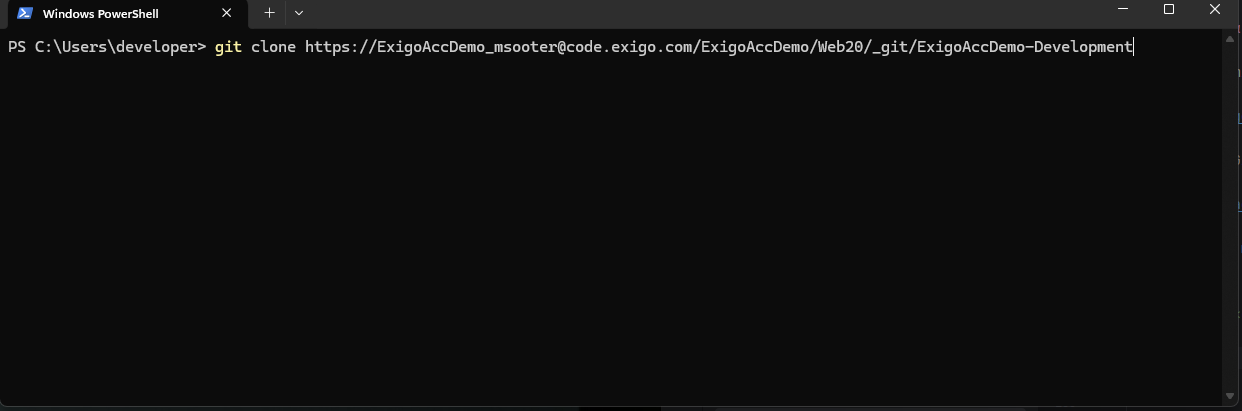
Finally, run the API Sdk and Web Host docker the same as described in the Local Dev Kit section
IDE Support
We have create plugins for both visual studio code / cursor & Jetbrains Rider these can be found in the Local Dev Kit