Home > Today (Admin)
The Today page is the default landing screen when you log into the Exigo Admin portal. It provides a consolidated dashboard view of key information and quick-access tools relevant to your daily workflow.
Navigate to it via the left sidebar: Home → Today.
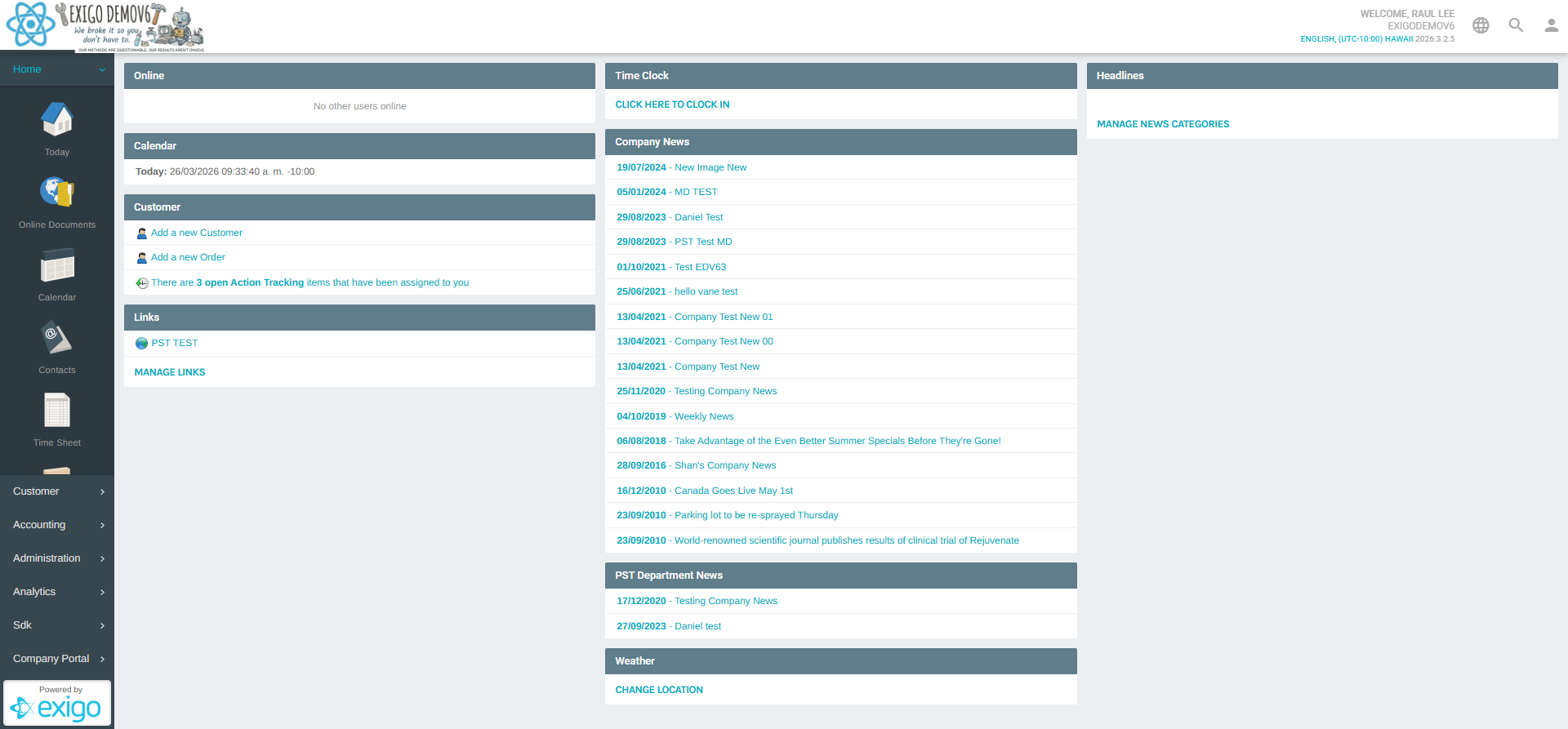
Overview
The Today dashboard is organized into nine widget cards displayed in a responsive grid layout:
| Widget | Description |
|---|---|
| Online | Displays which admin users are currently logged in |
| Calendar | Shows the current date and time (with timezone) |
| Customer | Quick links to add a new customer or new order; shows open Action Tracking alerts |
| Links | Configurable shortcut links for your team |
| Time Clock | Clock in/out interface for time tracking |
| Company News | List of published company-wide announcements |
| [Department] News | Department-specific news articles (e.g., "PST Department News") |
| Weather | Local weather widget (location configurable in Preferences) |
| Headlines | External news feed headlines (categories configurable in Preferences) |
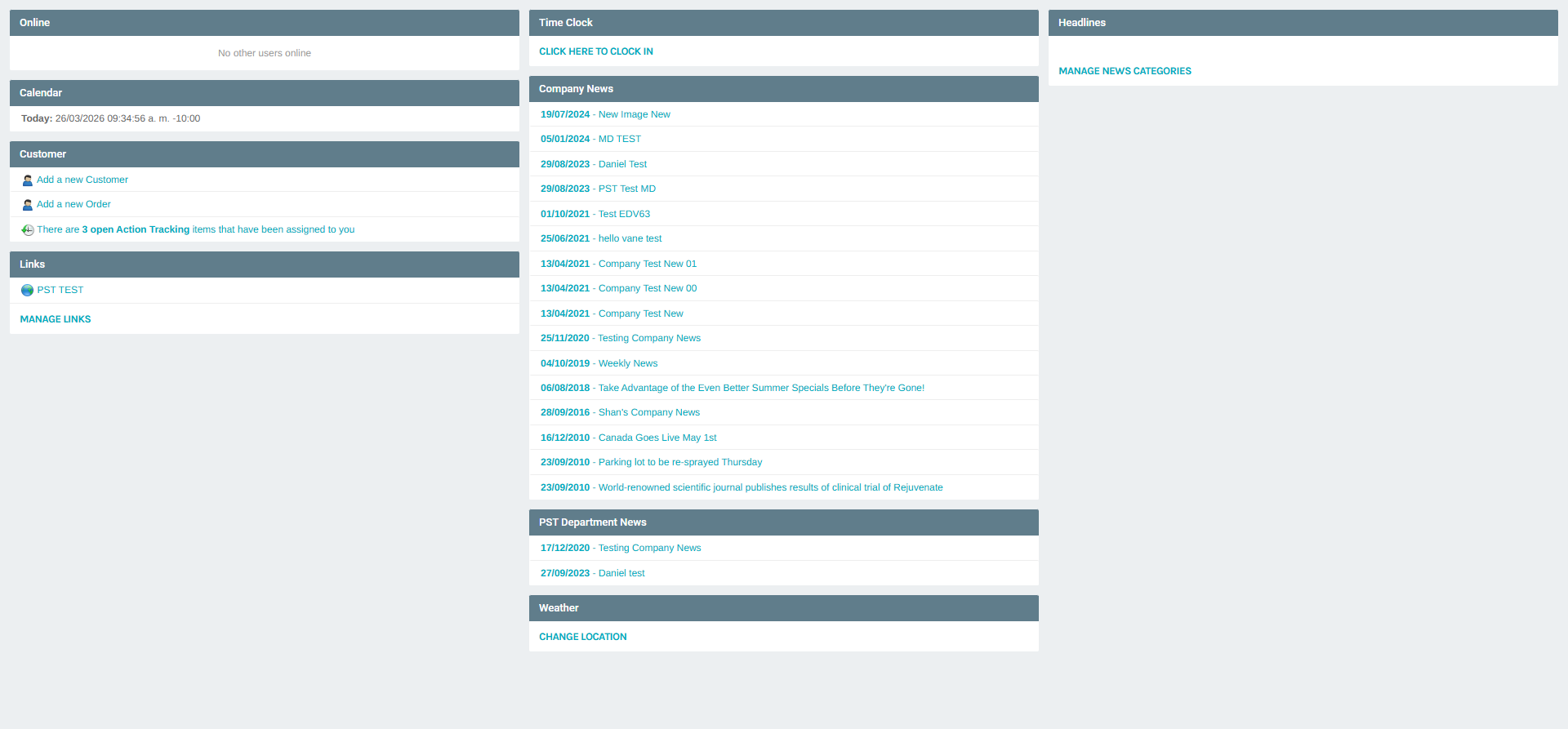
Widget Details
Online
Displays the names of other admin users currently logged in. If no one else is active, the card reads "No other users online".
Calendar
Shows the current date and time, including the user's configured timezone (e.g., 26/03/2026 09:34 a.m. -10:00).
Customer
Provides three quick-action items:
- Add a new Customer — Opens the new customer creation form.
- Add a new Order — Opens the new order creation form.
- Action Tracking alert — Displays a count of open Action Tracking items assigned to the logged-in user, with a link to the full list.
Links
Displays company-configured quick links. Each link opens an external or internal URL. Clicking MANAGE LINKS opens the Links Portal where you can add, edit, or remove links.
Time Clock
Used to clock in at the start of a shift. Clicking CLICK HERE TO CLOCK IN prompts you to select a job/task and records your start time. Manage clock entries via Administration → Manage Time Clock.
Company News
Lists company-wide news articles sorted by date (newest first). Each entry shows the publication date and title. Clicking an article opens a full preview.
Company News articles are created and managed via Administration → Company News.
Department News
Displays news articles scoped to your assigned department (e.g., "PST Department News"). These are created and managed per department.
Weather
Shows a weather summary for a configured location. Click CHANGE LOCATION to update your location — this opens the Preferences popup on the Location tab.
Headlines
Displays external news headlines based on selected news categories. Click MANAGE NEWS CATEGORIES to configure which topics appear — this opens the Preferences popup on the News tab.
Related Navigation
From the Home section in the sidebar you can also access:
| Menu Item | Description |
|---|---|
| Online Documents | View and manage shared online documents |
| Calendar | Full calendar view for scheduling |
| Contacts | Personal contact directory (Company Portal) |
| Time Sheet | View and manage your time entries |
| Notes | Personal note-taking tool |
| Links | Full links portal |
| Preferences | User preferences including weather location and news categories |
| My Actions | Your assigned action tracking items |
| Password | Change your admin password |
Summary
The Today page acts as a personal command center for Exigo Admin users, aggregating news, quick actions, communication tools, and personalized widgets into a single view. It is the first screen you see after login and is designed to reduce navigation time for the most common daily tasks.