Create a Customer (Admin)
This guide captures the Create Customer flow in Exigo Admin using dummy data.
Step-by-step
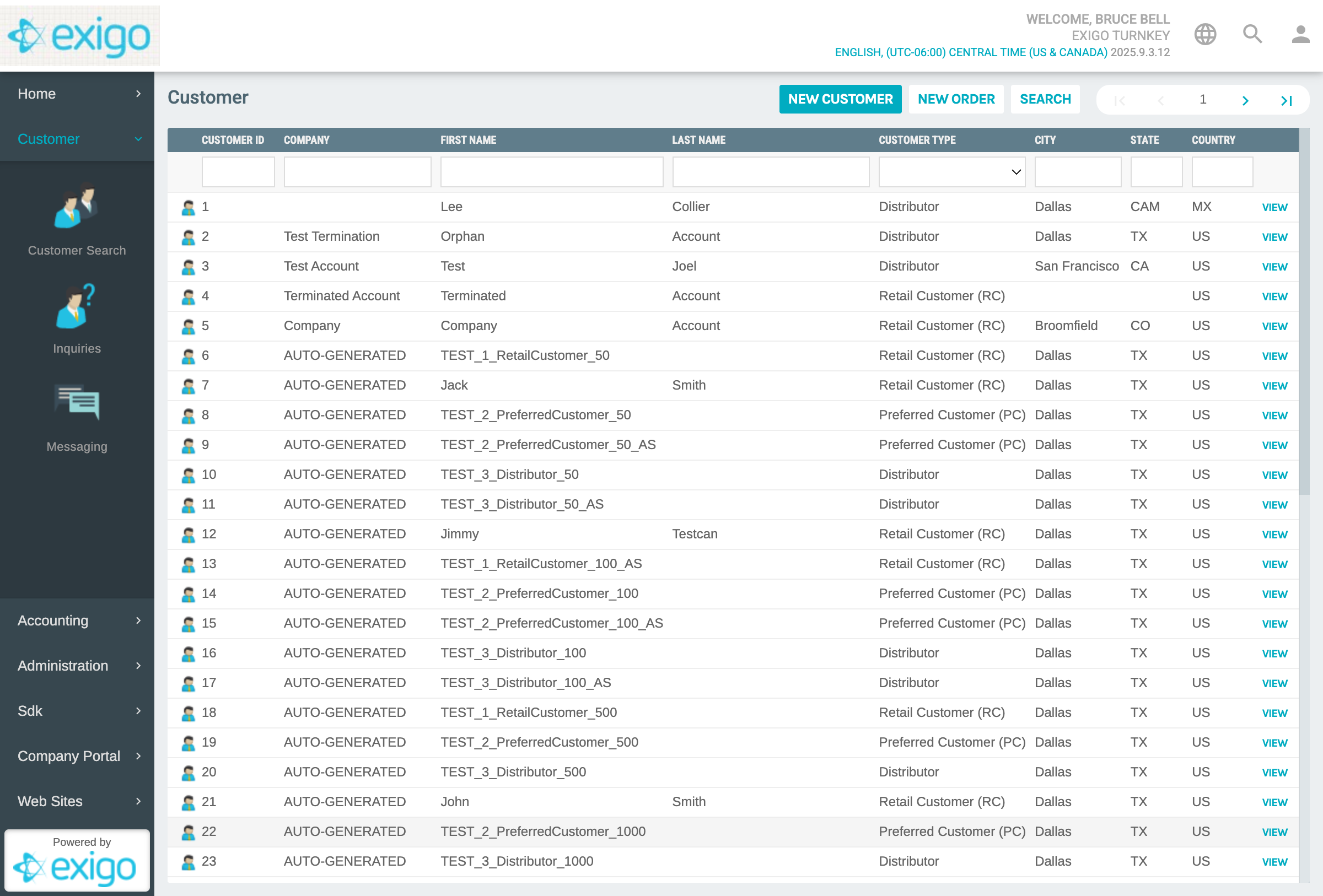
1) Navigate to Customer Search
- In the left nav, expand/select Customer
- Click Customer Search
Screenshot (Customer Search):
2) Start a new customer
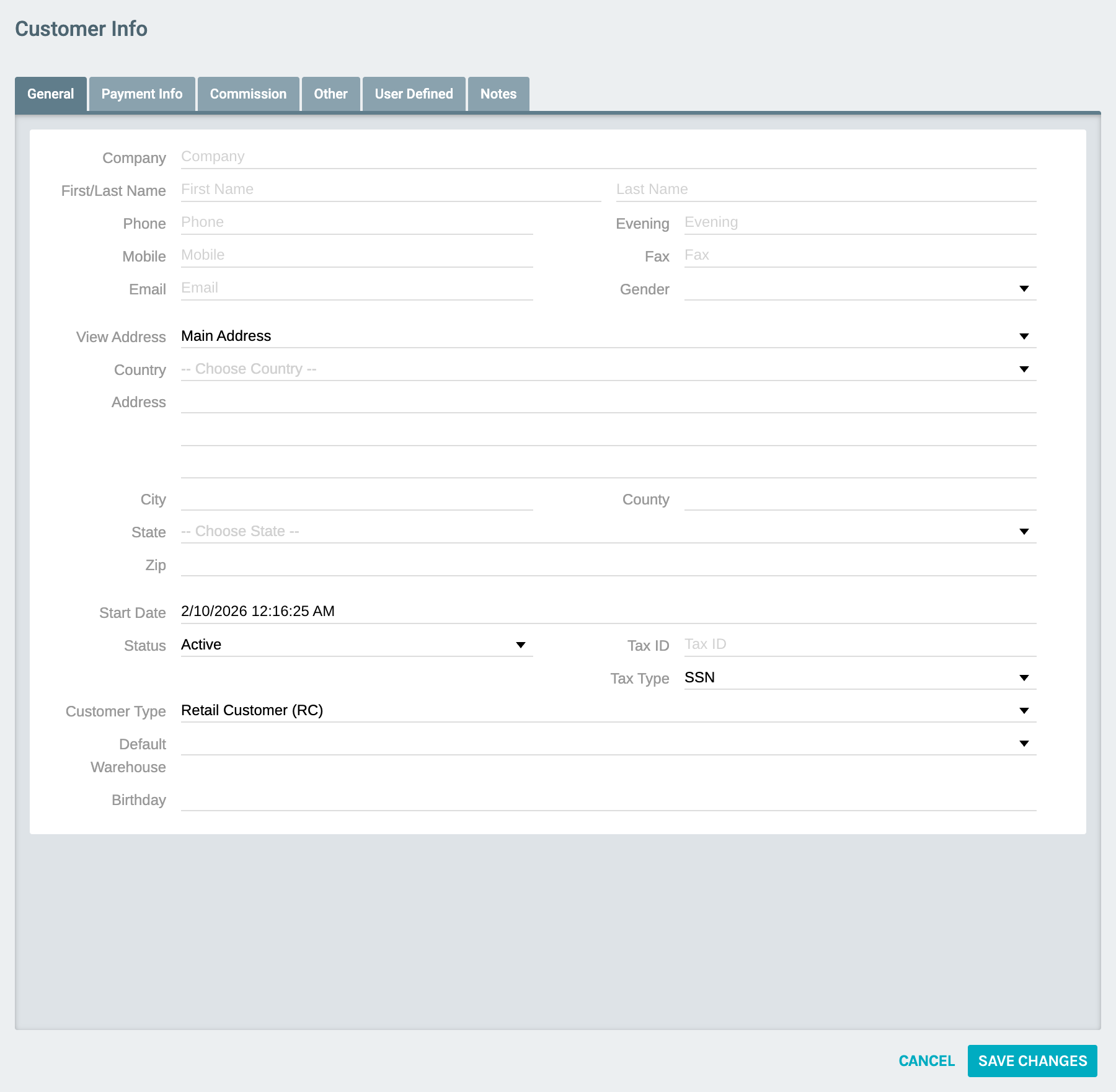
- On the Customer Search page, click New Customer
Screenshot (New Customer form - start):
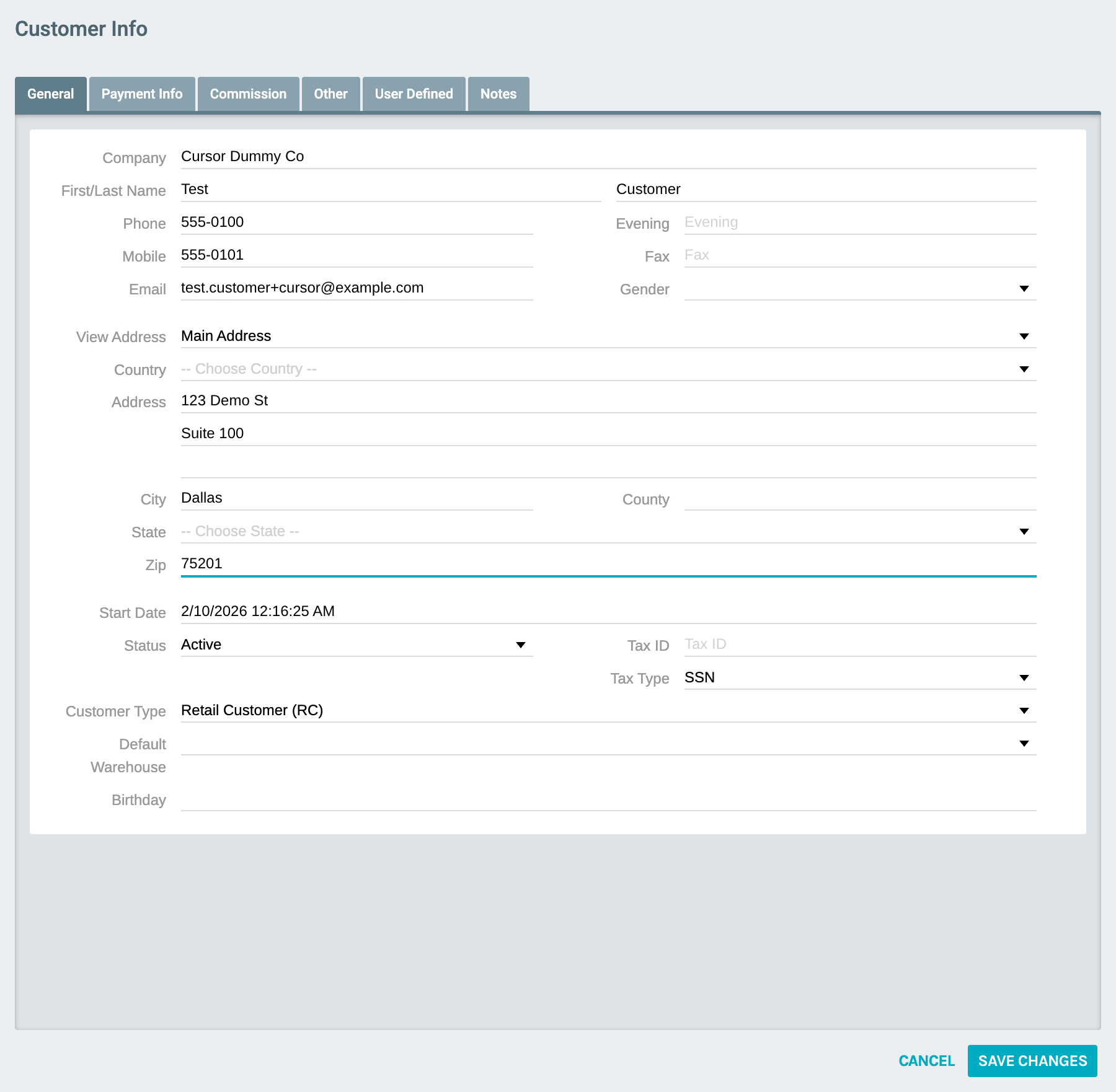
3) Fill out dummy customer info (do not save)
Fill the following (example dummy values):
- Company:
Cursor Dummy Co - First Name:
Test - Last Name:
Customer - Phone:
555-0100 - Mobile:
555-0101 - Email:
test.customer+cursor@example.com - Address:
123 Demo St - Address (line 2):
Suite 100 - City:
Dallas - Zip:
75201
Screenshot (New Customer form - filled):
Notes
- This page was filled with dummy data for documentation only. No Save Changes click was performed in this capture.